Guide
Your mushroom spots on the map, from the start.
Oma Tienoo runs in your phone's browser at oma.tienoo.com. There is nothing to fetch from an app store. You get an account with Google or a one-time code sent to your email, and setup costs one euro, once.
1. Add to your home screen
Do this first. Opened from the home screen the app uses the full screen, remembers your sign-in and is allowed to keep the display awake for the length of a trip.
- iPhone: In Safari, Share → Add to Home Screen.
- Android: In Chrome, menu → Add to Home screen.
2. Allow location
The map works without location permission, but your own position will not show and a trip cannot be recorded. Allow location while using the app; in the background your location is never asked for or used.
3. Mark your first spot
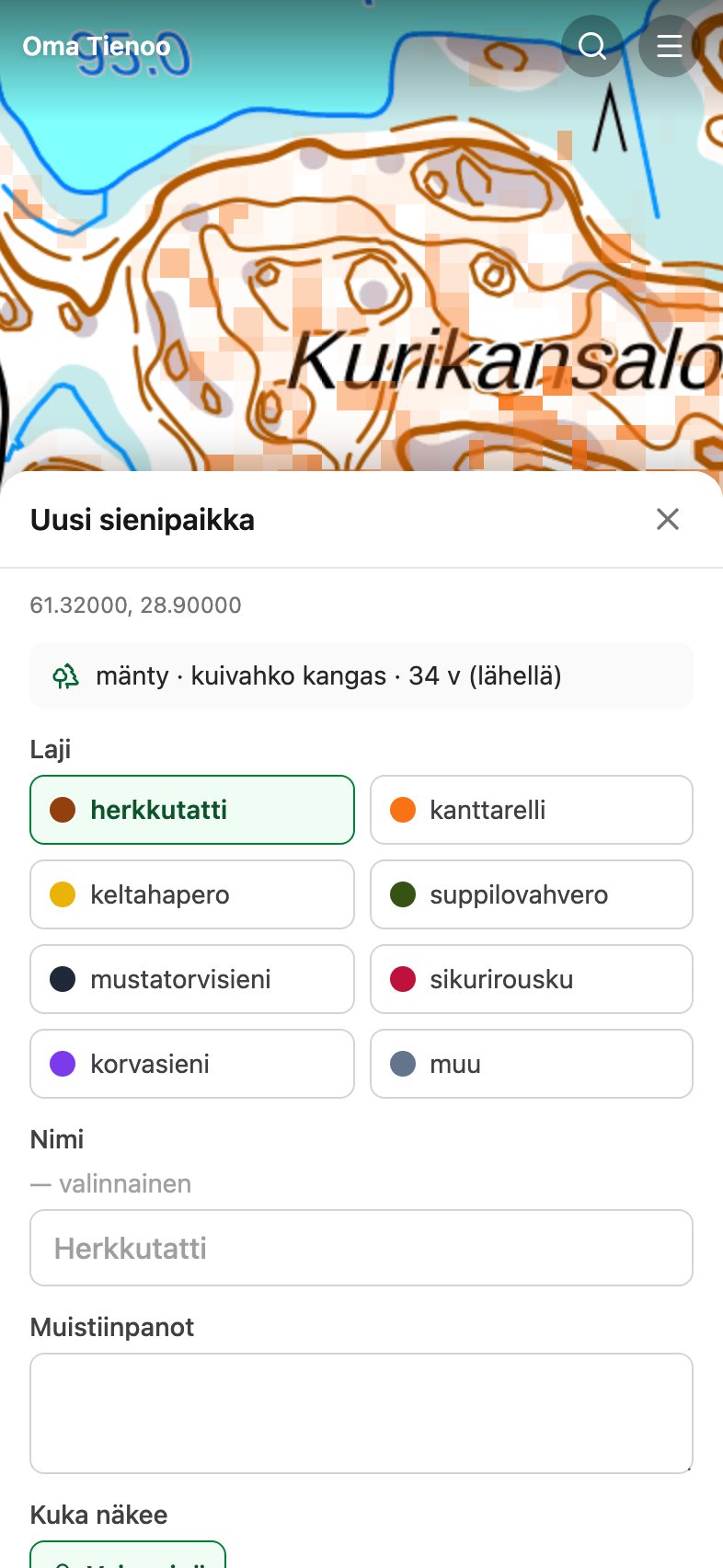
The red button at the edge of the map adds a marking. You can mark your own position or point at a spot on the map. Pick the species, refine the kasvupaikka and write down the thing you would otherwise forget: which side of the ditch, how many steps off the path.
The app fetches forest data for the marking automatically, for example mänty · kuivahko kangas · 34 v, meaning pine on kuivahko kangas (dryish heath forest), 34 years old. You never fill these in yourself, and they come from the same data the mushroom maps are computed from.
4. Take the map beyond coverage
Valikko (menu) → Lataa kartta (download map) downloads the visible area to your phone in advance. After that the map, your own markings and the travelled track keep working even with no signal. Download the area at home: in the forest it is too late.
5. Record a trip
The green button starts a trip. The travelled track draws on the map, so you can see which corner went unvisited, and during the trip the app shows the way back to your starting point. The phone can go in your pocket: the screen turning off does not stop the recording when the app has been opened from the home screen.
6. Bring your group
Groups decide who sees what. A marking is visible only to the groups you choose for it, and sharing your own position is always switched on separately. Used alone, the service shows your markings to nobody. Privacy spells out exactly what is stored about whom.
If something does not work
Valikko → Palaute (feedback) sends a message straight to the maintainer, and the reply comes to your own email. The message carries the app version and a browser identifier and never your location. The same form also works from the payment screen, in case paying is the thing that fails.